Repository navigation
Consolidate integration to one Connection screen - #102265
Krishna2323 wants to merge 54 commits into
Conversation


Signed-off-by: krishna2323 <belivethatkg@gmail.com>
Signed-off-by: krishna2323 <belivethatkg@gmail.com>
Signed-off-by: krishna2323 <belivethatkg@gmail.com>
Signed-off-by: krishna2323 <belivethatkg@gmail.com>
Signed-off-by: krishna2323 <belivethatkg@gmail.com>

|
Hey, I noticed you changed If you want to automatically generate translations for other locales, an Expensify employee will have to:
Alternatively, if you are an external contributor, you can run the translation script locally with your own OpenAI API key. To learn more, try running: npx bun ./scripts/generateTranslations.ts --helpTypically, you'd want to translate only what you changed by running |
Signed-off-by: krishna2323 <belivethatkg@gmail.com>
Signed-off-by: krishna2323 <belivethatkg@gmail.com>
Signed-off-by: krishna2323 <belivethatkg@gmail.com>


|
Sorry, marked it as ready by mistake. It's still in progress. |
Signed-off-by: krishna2323 <belivethatkg@gmail.com>
…ltip

Signed-off-by: krishna2323 <belivethatkg@gmail.com>

Signed-off-by: krishna2323 <belivethatkg@gmail.com>
Signed-off-by: krishna2323 <belivethatkg@gmail.com>
Signed-off-by: krishna2323 <belivethatkg@gmail.com>
Signed-off-by: krishna2323 <belivethatkg@gmail.com>
Signed-off-by: krishna2323 <belivethatkg@gmail.com>
Krishna2323
changed the title

|
Please check below findings: A connection that only works in Expensify Classic doesn't show up on Connections.
Saving a Final approver from the HR Configure panel closes the panel. The Final approver pages still go back to the old HR page:
The onboarding accounting task says "Click Accounting". |

Regression reviewBeta off: I found no regressions. Every changed path either falls back to the old value or adds a new argument with a default that keeps current behavior. That includes the shared Beta on: I found 2 navigation regressions and 3 behavior changes. These come from reading the code at Regressions
Behavior changes to confirm
Areas checked and found safe
Next Steps: Reply with |
|
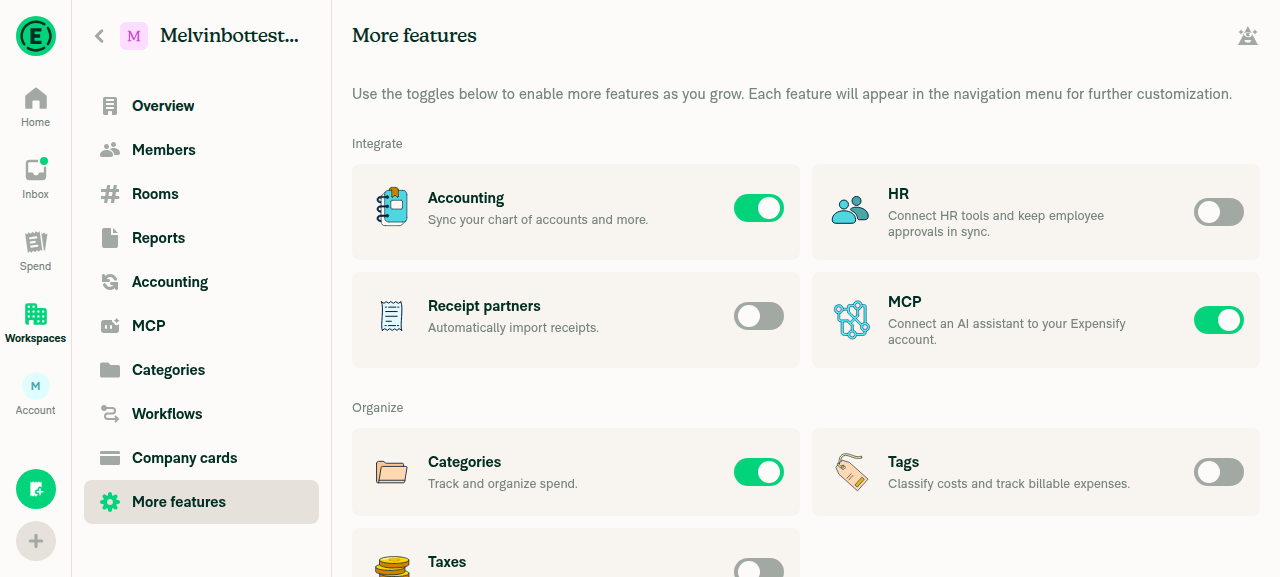
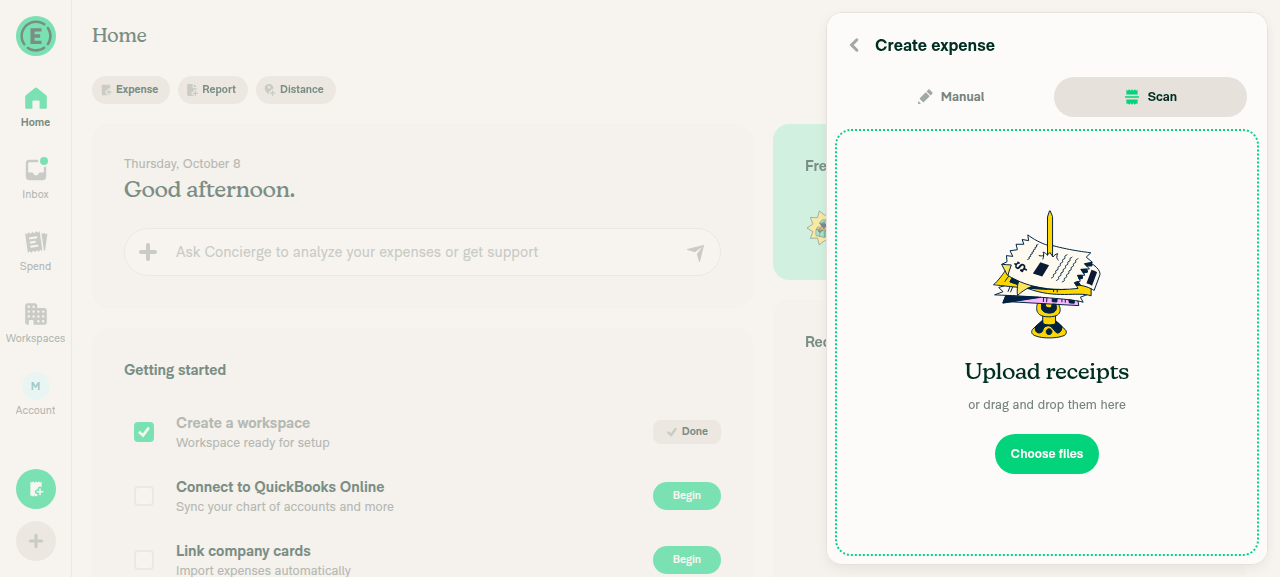
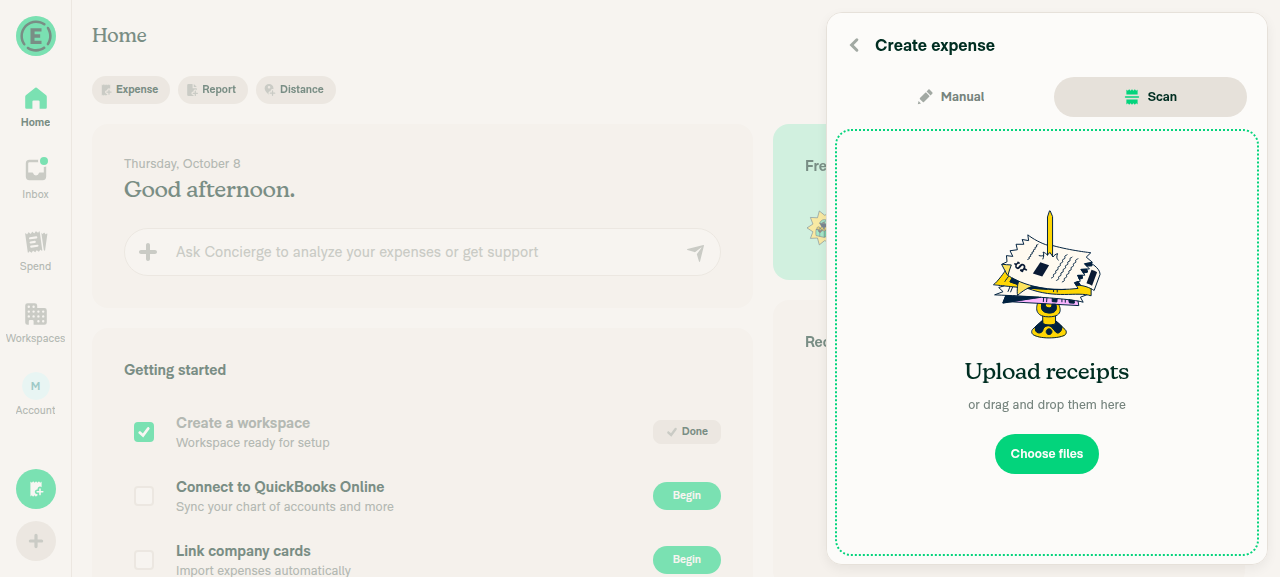
🤖 Web test steps verification results: With the beta off, More features and the Create expense tabs behave as on main. With the beta on, the single Connections item, the Connections page, and the Uber panel work. Clicking "+" on Claude moved the test browser off the app, so steps 7 and 8 couldn't finish.
|
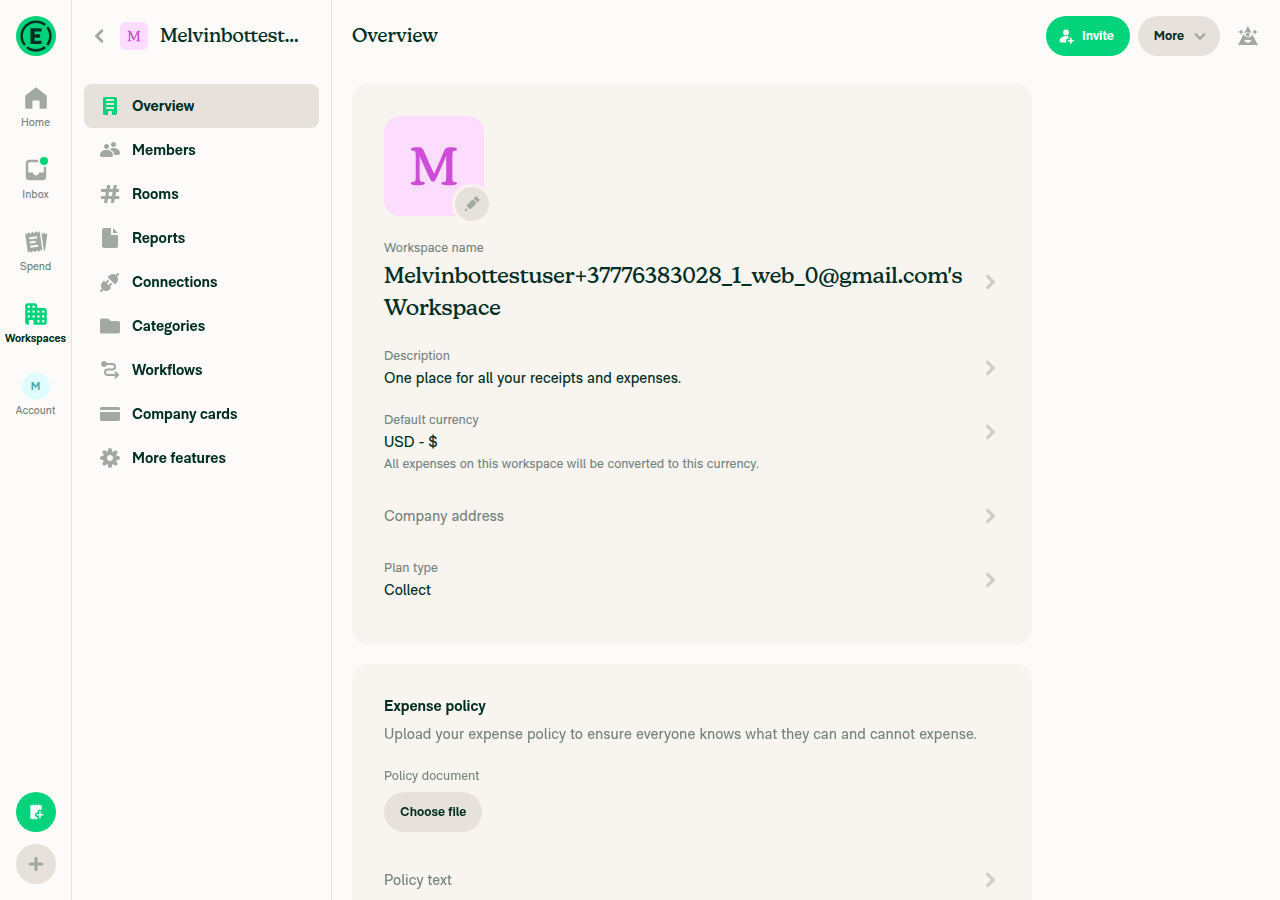
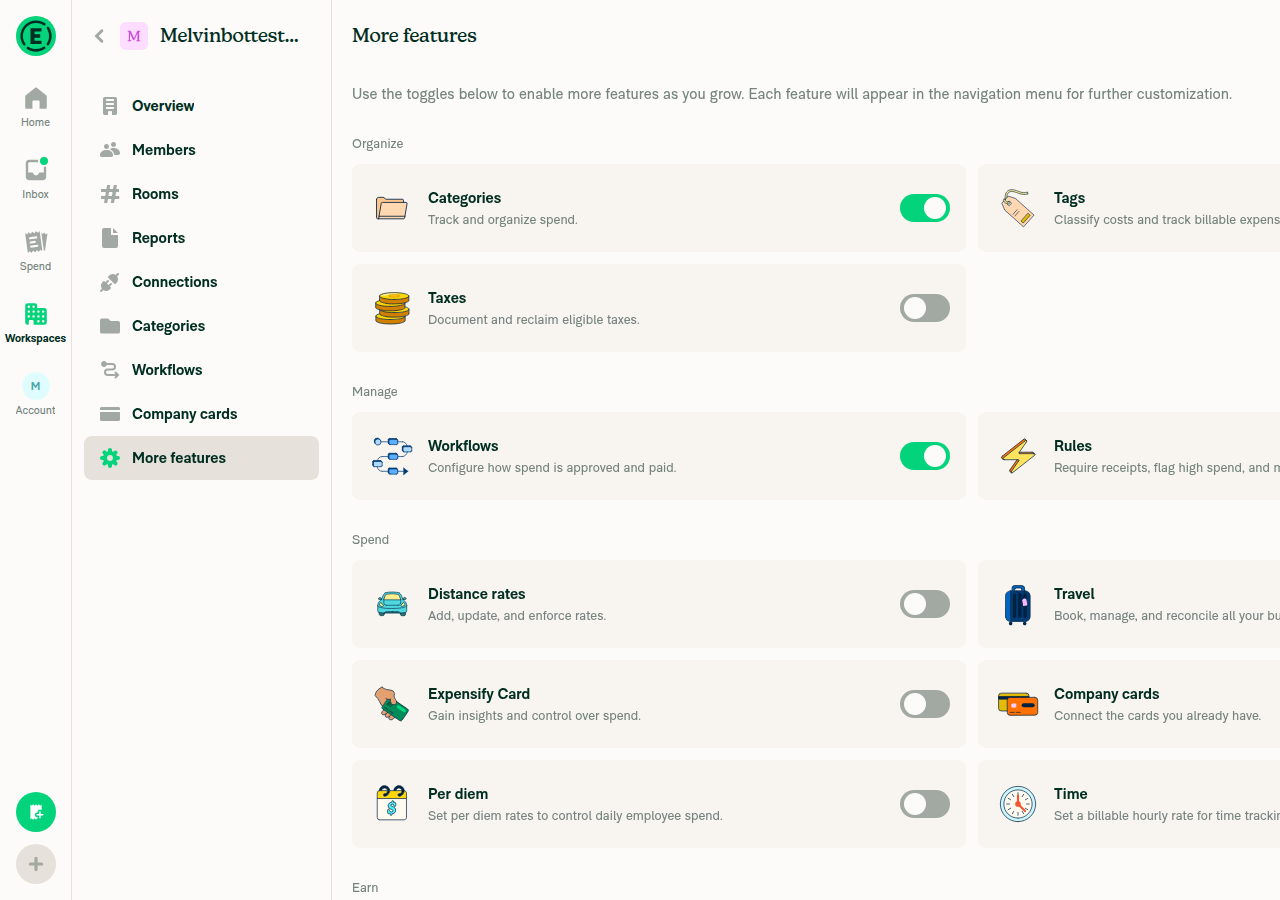
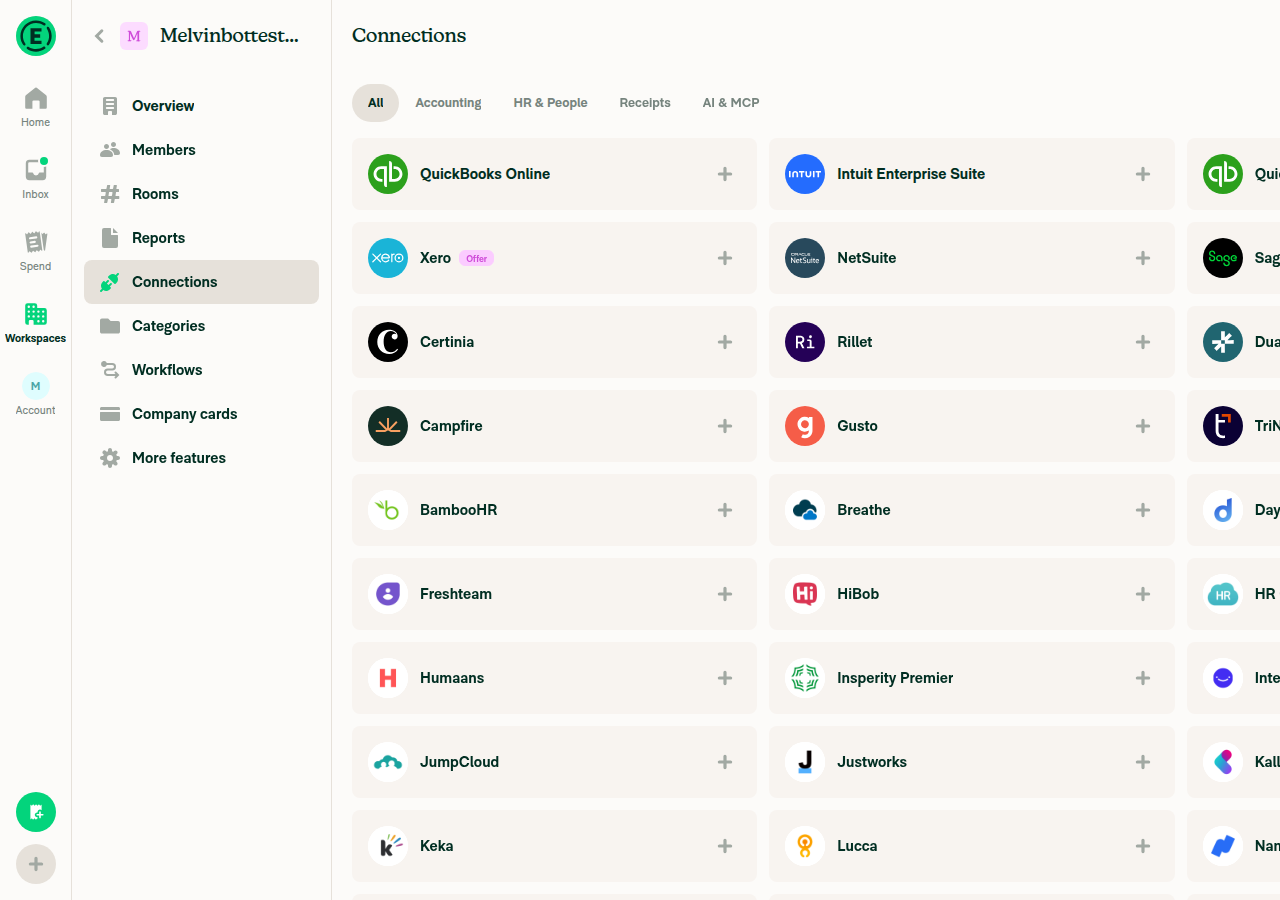
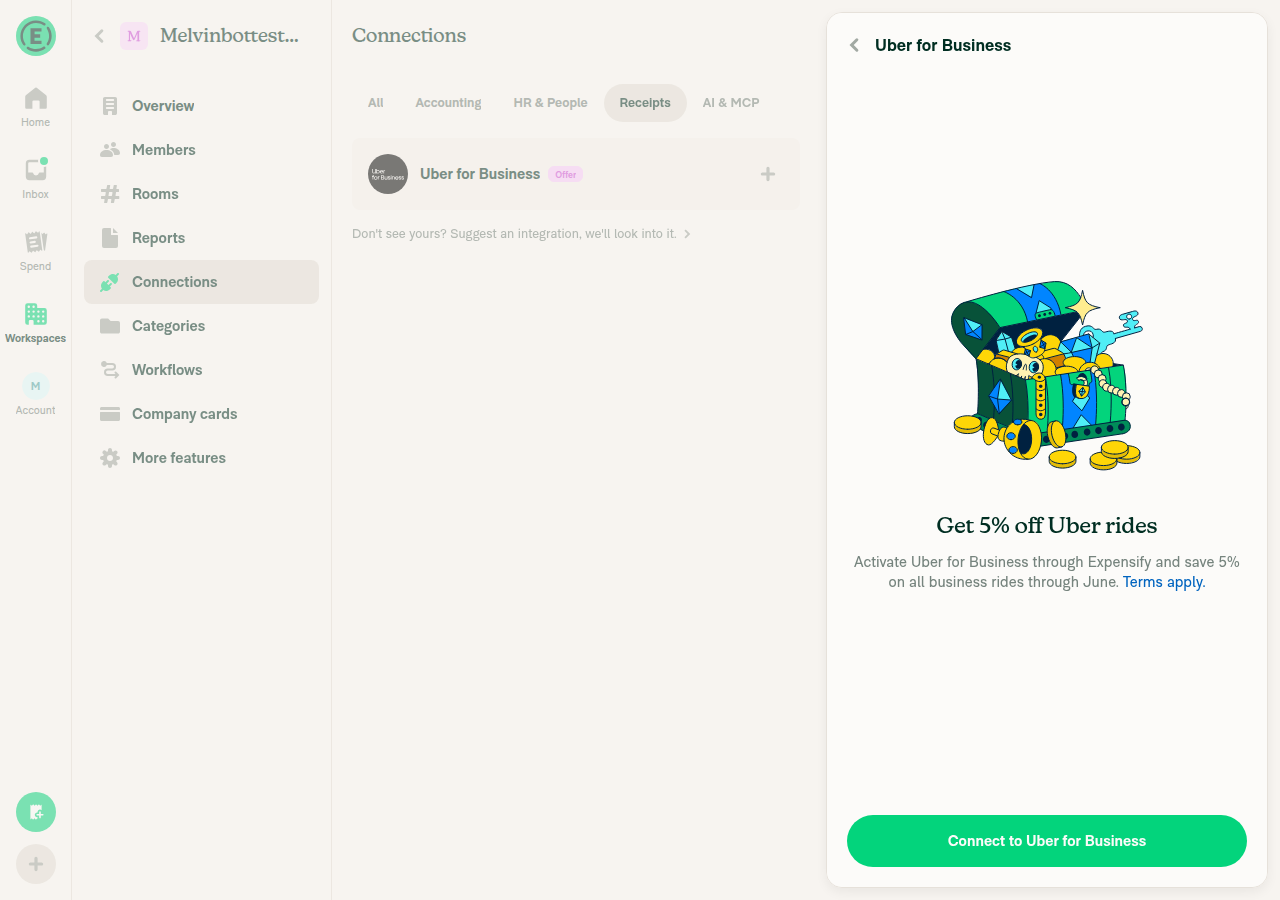

|
@Krishna2323 we're aiming for early next week on this one when you have a second to get back to it. |
|
Working on it, should be ready again in few moments. |
Signed-off-by: krishna2323 <belivethatkg@gmail.com>
This only happens when the beta is turned off while on |
With the beta on, the MCP page is replaced by Connections, which doesn't have the "Need help connecting? Read our guide." row. @dubielzyk-expensify should I add it back under the grid on the AI tab?
@dubielzyk-expensify @trjExpensify right now the "All your connections in one place" tooltip shows to everyone with the beta, including brand-new accounts. We dropped the cutoff date because the beta rollout makes any fixed date wrong. One option is to show it only on workspaces that already used Accounting, HR, Recruiting, Receipt partners or MCP before. Is that the right rule, or should "existing user" mean the account rather than the workspace? |
@MelvinBot With the beta on, More features hides the Integrate toggles, and MCP has no connected state on Connections. So admins have no way to turn MCP off, and clicking "+" on Claude turns it back on if it was off. @dubielzyk-expensify should we keep the MCP toggle in More features for beta users, or add a Configure panel on the MCP card with an on/off switch?
Fixed items:
|
|
@MelvinBot review |

I think it would be cool to add it back to the AI tab. 👍 |
|
None of the fixes you listed are on the branch yet. The head is still What's still in the code at
MCP: I confirmed the gap is still open, so the question to design stands. The only way to turn MCP off is the Integrate toggle in More features ( Features turning on early: that reasoning works for Accounting and HR, so I'm fine leaving them as they are. |
That might work. I take it you're talking about the
I don't think we have any OldDot only connections at this point since we finished building Certina, so I'm not sure if this is necessary anymore?
Yeah, what we meant by this is is that we should still advertise "Accounting", "HR" etc. But before, disabling |
|
The branch hasn't changed since my last review. The head is still |
|
@MelvinBot pushed the changes, please check again |
…nnected workspaces

Signed-off-by: krishna2323 <belivethatkg@gmail.com>
|
I re-checked the branch at Fixed:
The MCP help link and the "connected workspaces only" tooltip rule ( Still to check:
Waiting on decisions, not code: a way to turn MCP off for beta users (design question above), and the I only read the code for this pass. I didn't run a browser test, because these flows need connected NetSuite, QBO, Xero, Sage or Certinia workspaces. Next Steps: Reply with |
Signed-off-by: krishna2323 <belivethatkg@gmail.com>
Signed-off-by: krishna2323 <belivethatkg@gmail.com>
|
@situchan ready for re-review again. Since your last review:
Only one item still needs a call: how admins turn MCP off when the beta is on. Waiting on @dubielzyk-expensify (question). |

Does the MCP toggle do anything functionally than turn the nav item on? Cause otherwise my plan for this tab was to basically list all the MCP integrations in the AI tab and then have a generic MCP tab that acts as the AI help link: 
Curious to hear what @trjExpensify and @Expensify/design thinks about that. |

I think it just turns the nav item on. I'm not quite following your proposal though, I think I'm having a hard time understanding the arrows 🤣 might need a new mock! |
|
@dubielzyk-expensify @shawnborton The MCP toggle only shows or hides the MCP nav item. With the beta on, that item is replaced by Connections, the same as Accounting and HR, so the toggle has nothing left to control. That's why I hid it along with the other integration toggles. Unless the backend uses @lakchote could you please confirm this? |


|
We did not find an internal engineer to review this PR, trying to assign a random engineer to #101509 as well as to this PR... Please reach out for help on Slack if no one gets assigned! |
Fresh review at
|

Let me try to explain what the arrows are showing...
Does that make sense? 😅 
|

|
@Krishna2323 yea confirmed, nothing in the backend uses |
This branch has not been deployed
12 participants


Explanation of Change
Adds a unified Connections page that combines Accounting, HR, Recruiting, Receipt partners and MCP. It sits behind the
unifiedConnectionsbeta.Fixed Issues
$ #101509
PROPOSAL
Tests
Setup:
Enable the
unifiedConnectionsbeta for your account. On a dev or staging build, you can also go to Account > Troubleshoot > Beta overrides and turn onunifiedConnections. Without the beta, none of the steps below show up.To see the Recruiting tab, also enable the recruiting beta.
Use a Control workspace where you're an admin. Connect QuickBooks Online (or Xero) to it, plus one HR provider (for example BambooHR) and Uber for Business.
Menu and tooltip
Page layout
Search
Responsive layout: resize the browser across the 1024px mark.
Replace warning
Connect flows: click "+" on Claude or ChatGPT. Check that the connect link opens in a new tab.
Configure panels: click Configure on each of QBO, BambooHR and Uber.
More features
Permissions
Onboarding: create a new account and choose the accounting-software option. Check that onboarding works exactly as it does on main.
Old routes: paste an old URL such as
/workspaces/<policyID>/accounting,/hror/receipt-partners. Check that the Connections page opens.Beta off: turn off
unifiedConnectionsand reload.Mobile (iOS and Android):
Repeat steps 1–3 and step 7.
Check that the back button on the Connections page and on each panel returns to the previous screen.
Check that the footer's ">" lines up with the text.
Verify that no errors appear in the JS console
Offline tests
QA Steps
Same as tests. Make sure the
unifiedConnectionsbeta is enabled on the test account first.Verify that no errors appear in the JS console
PR Author Checklist
### Fixed Issuessection aboveTestssectionOffline stepssectionQA stepssectioncanBeMissingparam foruseOnyxtoggleReportand notonIconClick)src/languages/*files and using the translation methodSTYLE.md) were followedAvatar, I verified the components usingAvatarare working as expected)StyleUtils.getBackgroundAndBorderStyle(theme.componentBG))npm run compress-svg)Avataris modified, I verified thatAvataris working as expected in all cases)Designlabel and/or tagged@Expensify/designso the design team can review the changes.ScrollViewcomponent to make it scrollable when more elements are added to the page.mainbranch was merged into this PR after a review, I tested again and verified the outcome was still expected according to theTeststeps.Screenshots/Videos
Android: Native
android_hybrid.mp4
Android: mWeb Chrome
android_mWeb.mp4
iOS: Native
ios_hybrid.mp4
iOS: mWeb Safari
ios_mWeb.mp4
MacOS: Chrome / Safari
Monosnap.screencast.2026-09-29.12-42-42.mp4